Showing posts with label 3d. Show all posts

Friday, 12 February 2016

ANIMATION: 3D modeling 2D turn sheet

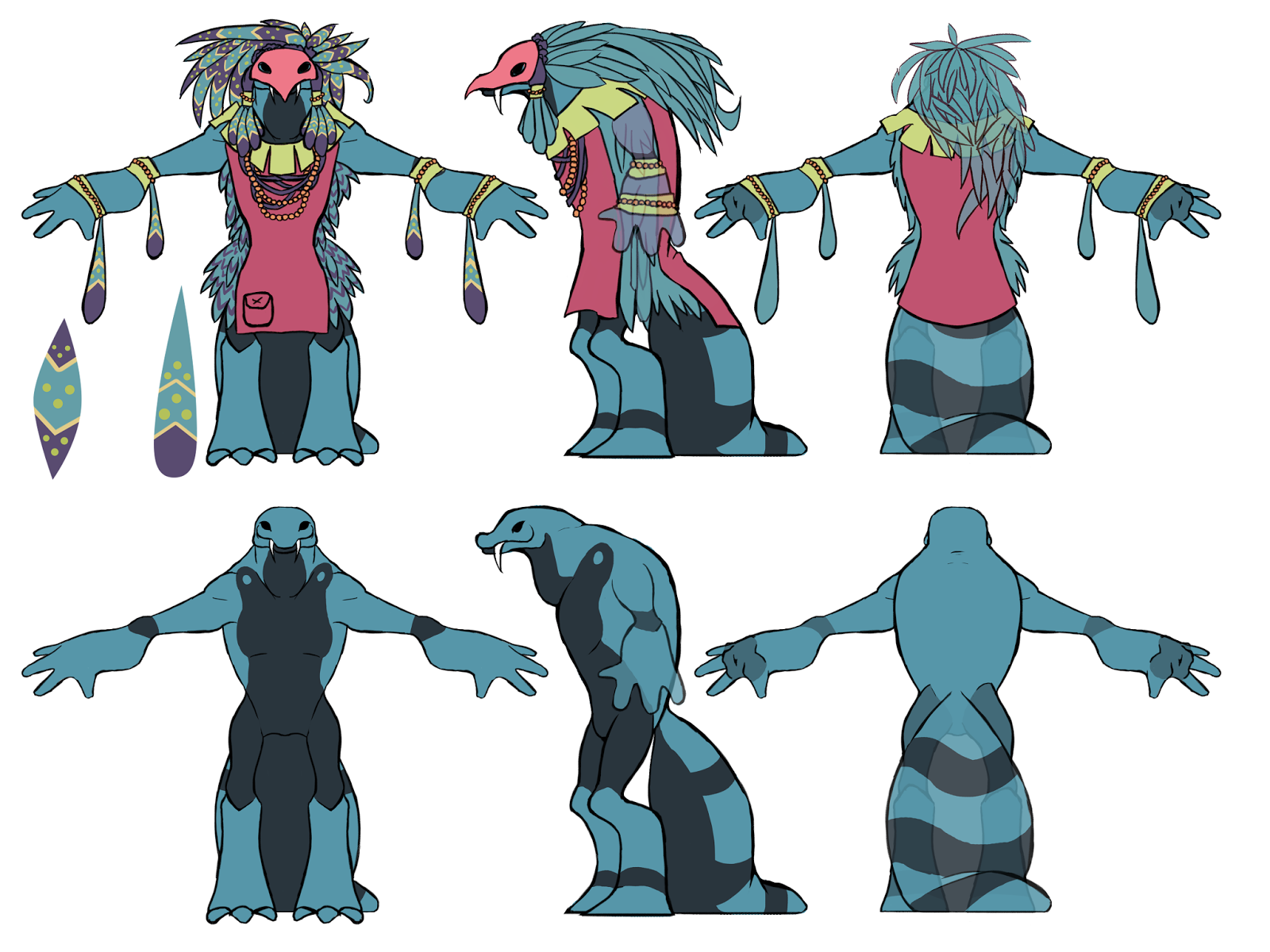
For my turn sheet I used a turn sheet I had made in my game project. I wanted to sue this because I felt it was more accurate than a new one and I had put time into the designs.

I attempted it 3 times. I used this turn sheet at first and tried boxing it out. I then got demoralised and felt lost on where I was and how to do it, I was very confused on to how to make the arms, tail, and leg I had messed up along the way so i wanted to start again.
I was not intending to model any of the clothing. 

Eventually I started again with a different turn sheet of the same batch. I got a lot further and made the arms and tail with it, but I was unsure how to duplicate the arms and mesh them together. I ran into the same issues with this and Maya had gotten stuck on a high-poly version which would not divert back to the low poly for me to edit, it also kept crashing. (I would later find out this was because I needed to delete the history and the model would go back to low-poly if I had just restarted the program. I wish I had not ran into this issue because it was easily fixed and I didn't work hard enough to fix it. I wanted to start on an easier model sheet.

Looking back it may have been best for my time management to just go with this design from the start and work with it however in the stage of making it higher-poly I found many overlapping polygons that I could not fix and I feel I learnt more from working on the 2nd model in the end. 

 I decided after making most of it it was best to go back to the 2nd and fix it as I felt I had wasted too much time restarting and was further with that one. I think I should have just stuck to one but I don't regret the learning experience of making theses, even if they're not complete. 
I got help with copying the arm through duplication and I managed to conjoin them using tools my lecturer showed me. I managed to learn how to do this, and how to extrude quickly as well as short cuts for changing it to a higher poly. 

I needed help exporting it into Mudbox and managed to fix the model with the extra vertexes in order to do so. I used Mudbox to clean up the model as I was unable to do so in Maya but this was rushed as I had wasted most of my time making multiple models. I am glad I planned out my time so I would have extra time for this. I smoothed it out and then put it back into Maya for rigging. Before rigging I wanted to try UV unwrapping and making textures. I had not had a lecture on this yet and had no idea how to do it. I managed to unwrap it with the use of an extension. I was not entirely sure of how to do it and I don't think I did it in any good way but I'm glad I had the learning experience. I had no idea how to use alpha channels and such. I rigged the model with relative ease but I found that the animation needed more time on fixing the rig for the folding of the model which I got completely stuck on and admitted I had no time to use for it. I animated it quite simply and exported it into the Gallery. I spent the remaining 5 hours I had allocated myself to place everything in the gallery, set it up to work in Unity, play test it, and make sure everything worked, testing the CD-Rom before submitting the piece. 


Tuesday, 17 March 2015

ANIMATION: monty

Originally in the file I had before I lost it due to lack of space on the University computers I had animated the Monty rig so it moved across the screen but I wanted to make a looping animation so I animated it on the spot, this meant I could focus mor eon the movement of the animation.
I feel I wasn't as good at this as I was on the 2D walking animations I've done. I wanted to put more of a bounce into it and give it more of a life. I wanted to put more rotation into the head and more bounce in the step but I feel I neglected this part. 

ANIMATION: 3D boney

For this animation I wanted to animate the Boney rig to push against the wall and then give up.
Setting up the rig so it's arms were against the wall was easy enough, in my original that I had lost the save file of I spent a long time on the original setting the arms up against the wall focusing too much on preparation. I had timed my animations so I would have time to spare but I was not aware of how long it would take me to finish the boney rig; it took me 3 days.
I had huge troubles setting up the IK/FK switch that was important part of the animation. Due to this I wasn't able to find time to fix the animation afterwards using the graph editor to fix the points of the animation that went through the wall.
I googled tutorials for the IK/FK switch online and found a few videos that were useful but could not be applied to my rig, I found many tutorials that were valid but on the wrong program and I found myself stuck due to not knowing the program well enough to fix it myself and could not find a solution that made sense to my understanding of the interface. I then went to the library and took out a book suggested by the lecturers on IK/FK switches in Maya. I took out the book "Learning Autodesk Maya 8" and browsed through it until I found pages that could help, but to to no avail, much of the book told me information to do with the next step and not to do with the part I was stuck on. I found out how to switch the IK/FK from these books but I could not tell how to animate it with the IK and the FK. I swapped them but found I couldn't transition them. Eventually I found a lecturer after spending a long amount of time on the weekend tyring to do it on my own. I was directed to the teleportation section of the graph editor to fix the IK/FK switch and used coordinates to change the positioning so they matched after duplicating an arm. I found this technique easy after this and was able to hone and memorise the technique by teaching fellow course mates who were also stuck on it.

ANIMATION: 3D bouncing ball

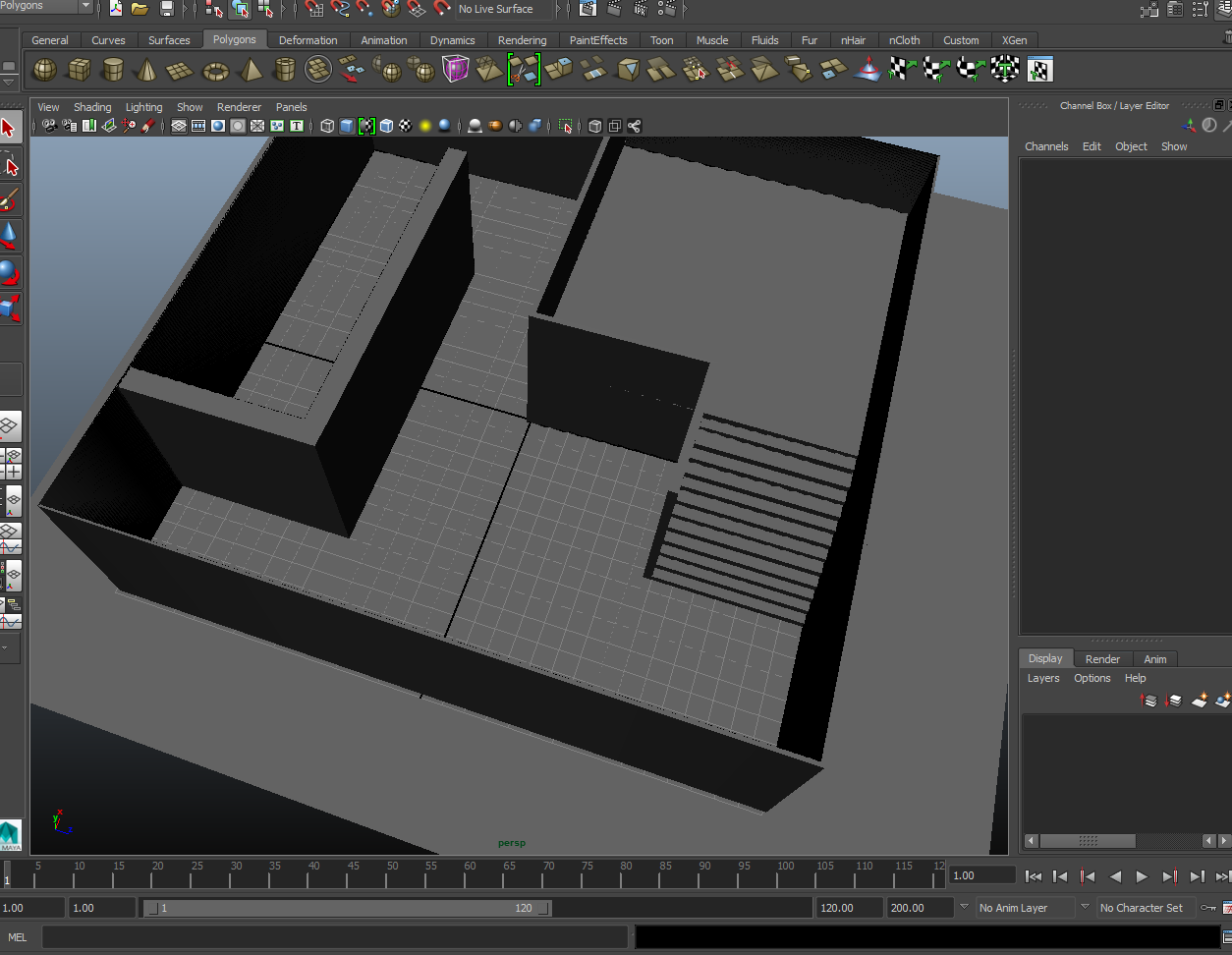
As soon as I knew the details of our assignment included making a gallery I went straight into Maya and designed a gallery with hallways and stairs with a floor. I wanted to add textures to the walls but had not had a lecture on UV unwrapping and knew I would have to save my time. I planned out a 2 week period to finish any of the animations I hadn't done and planned time spare for fixing things.

I had made the ball animation earlier in the lectures but had lost the saved file so I ahd to do it again. I wanted to add more to the animation this time by animating the ball moving forward towards the screen and then to have it roll off the edge. I edited it in the graph editor to make the bounces more accurate. 
Gif of the keyframes.


I also did an animation of a bouncing ball with a table, similar to the follow-through animation. The file was already provided and intended for use by students of the animation course for their show-reel, I saw no harm in using my spare time to practise it and learn more. I made an animation that would not move from the spot in Maya for practise in incorporating it into videogame use.